

Access controlling is the practice of deciding who or what may enter a building, room, network or data set, and recording what they do once inside. It combines verifying identity, checking permissions and keeping an audit trail, whether the resource is a plant room door or a cloud application. For the Responsible Person in a commercial or public building, it is the mechanism that turns a security policy into something enforceable.
What Is Access Control?
Access control is a security process that grants, restricts or denies entry to resources based on verified identity and defined permissions. A resource can be physical, such as a door, gate, barrier or lift, or logical, such as a file, application, server or database.
The principle is the same in both cases. A person or system presents a claim ("I am this user"), the system verifies it, and a rule determines what that identity may do. The rule should follow the principle of least privilege, meaning each person receives only the access their role requires and nothing more.
Physical and logical access control are increasingly managed together. A staff pass that opens a turnstile may also be tied to the same directory that governs network logins, so that when someone leaves the organisation, one action removes both kinds of access.
How Access Controlling Works
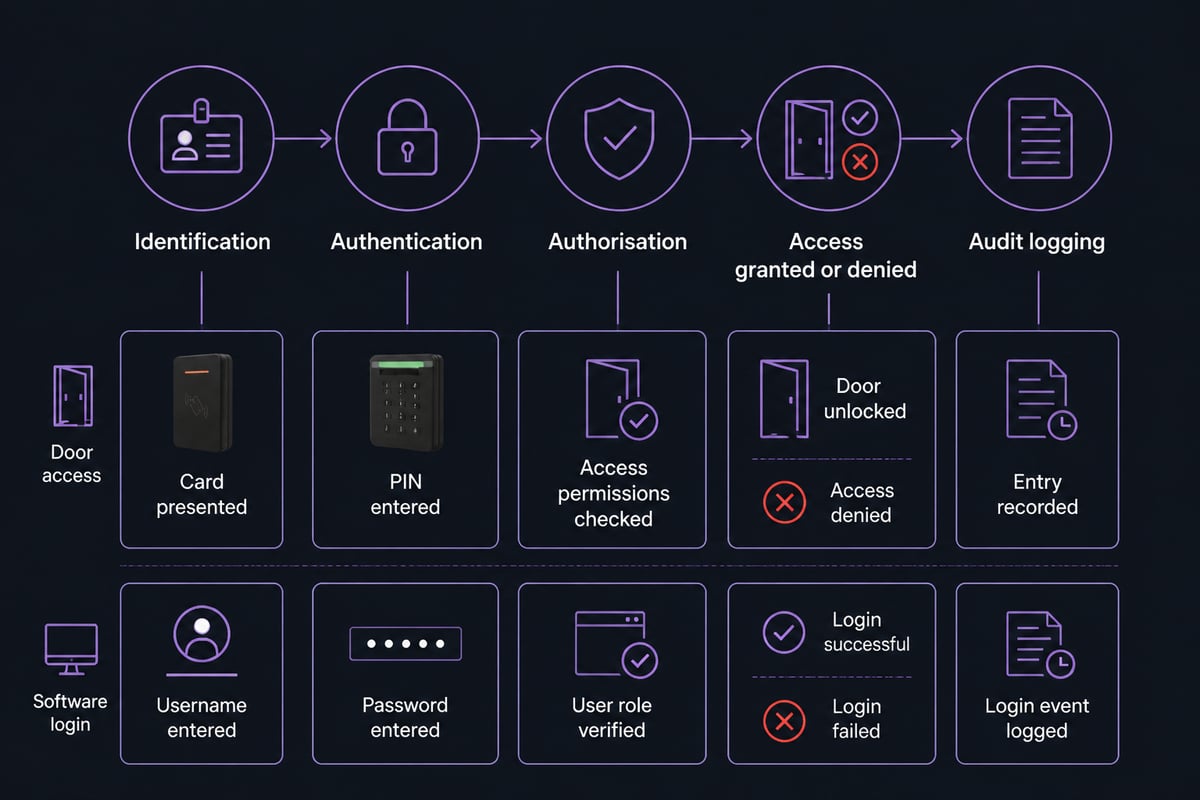
Access controlling works through a sequence of checks: identification, authentication, authorisation, access and audit. Each stage answers a different question, and a weakness at any one of them undermines the others.
- Identification: the user states who they are, usually by presenting a card, fob, PIN, username or biometric sample.
- Authentication: the system verifies that claim. Single-factor methods rely on one proof, such as a password. Multi-factor authentication (MFA) combines two or more, for example a card plus a PIN.
- Authorisation: the system checks policy to establish what the verified identity is permitted to do, and at what times or locations.
- Access: the door releases, the session opens or the file is served.
- Audit: every attempt, successful or refused, is logged with a time stamp, giving you evidence for investigations and compliance reviews.
The core components
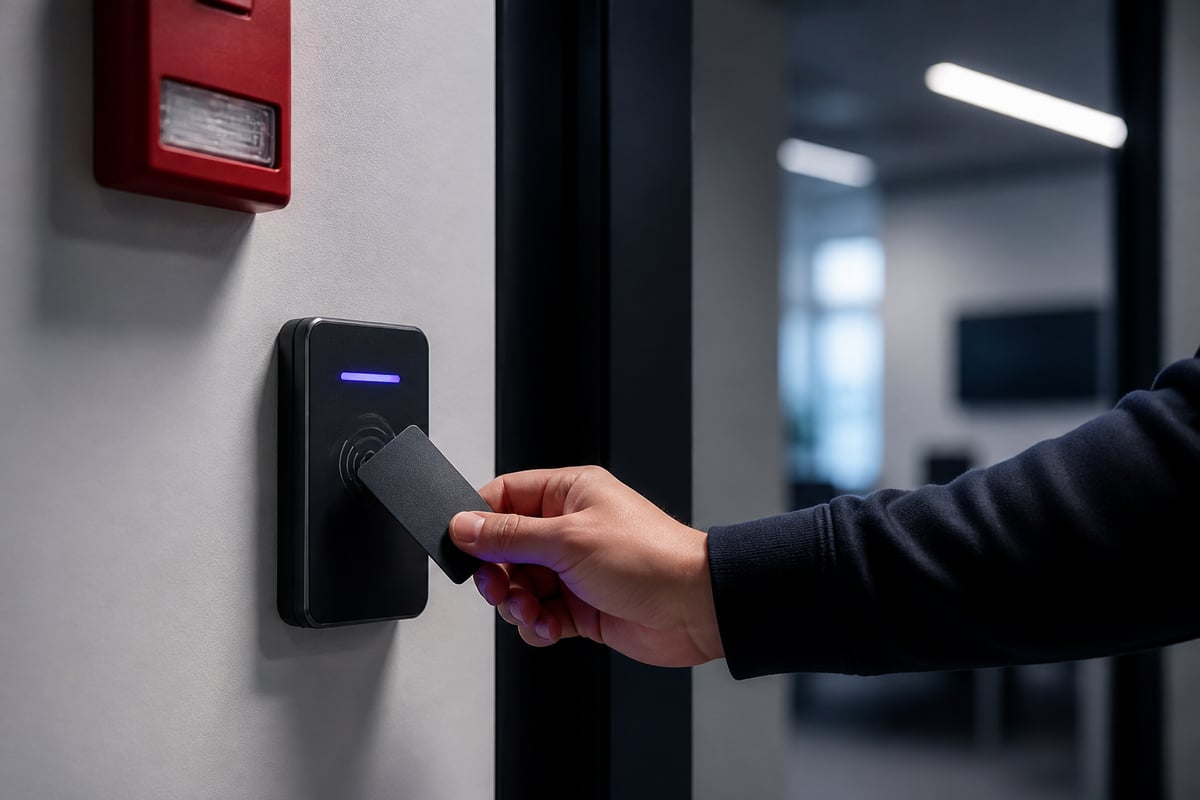
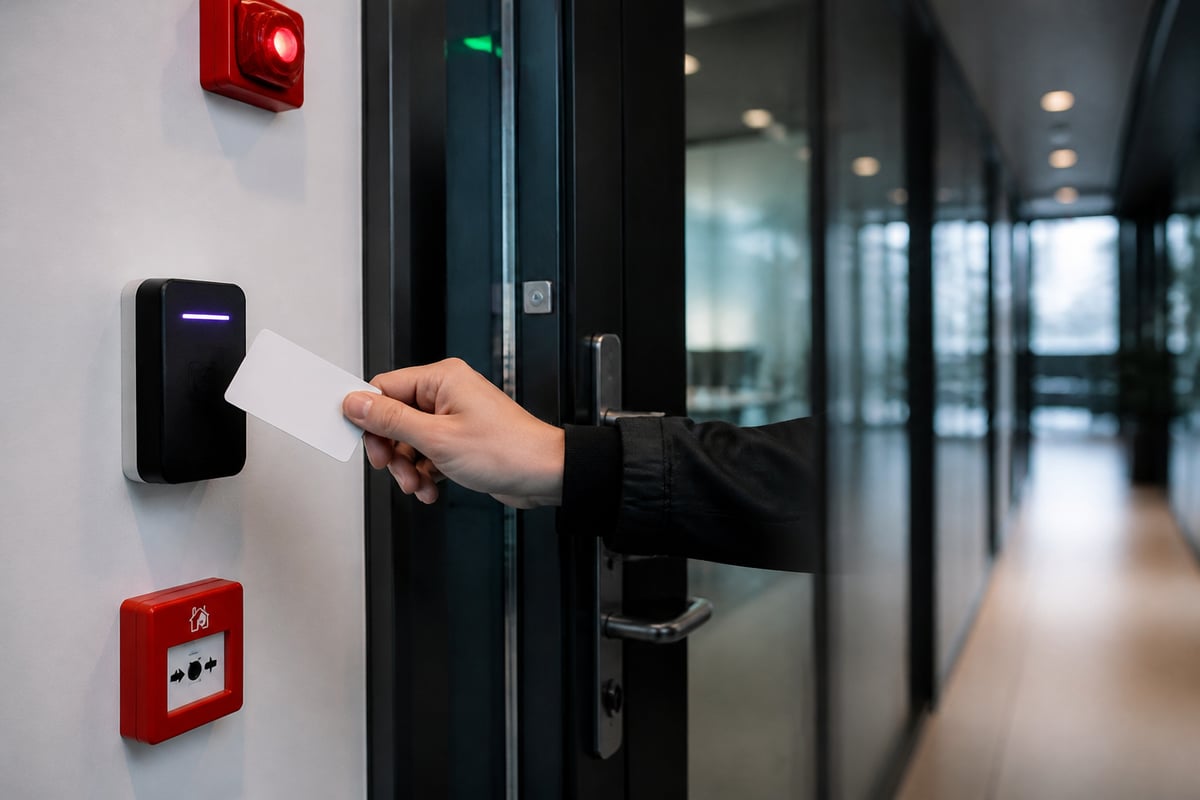
A working system has four parts that interact. Credentials are what users carry or know. Readers or login prompts capture those credentials. A controller or policy engine compares them against stored rules. Finally, the enforcement point, such as an electric lock, barrier or application gateway, carries out the decision.
In physical systems, controllers can be stand-alone units on a single door, or networked to a central server so that permissions and logs are managed from one place. Networked systems suit multi-door sites and multi-tenant buildings, where changing a person's rights across dozens of doors would otherwise mean visiting each one.
What Are the Four Main Access Control Models?
The four main access control models are discretionary (DAC), mandatory (MAC), role-based (RBAC) and attribute-based (ABAC). Each differs in who sets the rules and how finely those rules can be tuned.
| Model | Who decides access | Typical use |
|---|---|---|
| Discretionary (DAC) | The resource owner | Shared drives, small offices |
| Mandatory (MAC) | A central authority using classification labels | Government, defence, high-security sites |
| Role-based (RBAC) | Predefined roles linked to job function | Most commercial buildings and business software |
| Attribute-based (ABAC) | Policies evaluating user, resource and context attributes | Large or regulated organisations needing fine control |
What is discretionary access control (DAC)?
Discretionary access control is a model in which the owner of a resource decides who else may use it. If a manager owns a folder, they can grant a colleague read or edit rights without involving anyone else. It is flexible and simple to run, but it depends on owners making sound decisions, and permissions can drift over time as people share access informally.
Mandatory access control
Mandatory access control removes that discretion. A central authority assigns classification labels to resources and clearance levels to users, and the system enforces the match. Owners cannot override it. This rigidity suits environments where information has strict handling rules, but it is administratively heavy for ordinary commercial premises.
Role-based access control
Role-based access control assigns permissions to roles rather than individuals. A "contractor" role might open the loading bay and plant room during working hours, while a "facilities manager" role opens every area at any time. When someone changes job, you change their role, not dozens of individual rights. For most UK commercial and public buildings, RBAC offers the best balance of control and manageable administration.
Attribute-based access control
Attribute-based access control evaluates a set of attributes at the moment of the request: who the user is, what department they belong to, what is being accessed, the time of day, the device in use or the location. A policy might allow entry to a server room only for network engineers, on weekdays, from a managed device. It is the most precise model and also the most demanding to design and maintain.
What Is an ACL and What Are Its Types?
An access control list (ACL) is a table attached to a resource that lists which users or groups may perform which actions on it. It is the data structure through which many of the models above are implemented, rather than a model in itself.
ACLs appear in two common forms:
- Filesystem ACLs: attached to files and folders, defining who can read, write or execute.
- Networking ACLs: attached to routers, firewalls or cloud subnets, defining which traffic, by address, port or protocol, may pass.
In a physical system, the equivalent is the permission table inside the controller, which records which credentials may open which doors at which times. A tidy ACL is short, reviewed regularly and based on groups rather than individuals.
What Are the Four Types of Security Controls?
The four types of security controls are physical, technical, administrative and, in some frameworks, operational or compensating controls. Access control sits across the first three.
- Physical controls: locks, turnstiles, barriers, gates, door entry panels and security staff.
- Technical (logical) controls: passwords, MFA, encryption, firewalls and permission settings within software.
- Administrative controls: policies, joiner-mover-leaver procedures, visitor rules and staff training.
- Compensating controls: alternative measures that reduce risk when a primary control is impractical, such as escorted access where a door cannot be fitted with a reader.
Strong access controlling uses all of these together. A reader on a door is of limited value without an administrative process to remove a leaver's card on their last day.
Access Controlling in Practice
In practice, access controlling means matching the control to the risk of each area, from a main entrance to a plant room. The following examples show how the principles translate into common situations for commercial and residential-block managers.
- Multi-occupied offices: each tenant's staff hold credentials that open the shared entrance and their own floor only. The landlord's system logs entries to communal areas.
- High-rise residential blocks: door entry panels, fob-controlled lifts and managed bin store or plant room access, with permissions removed when a lease ends.
- Public buildings and schools: time-restricted access for staff, visitor management at reception, and perimeter gates or barriers controlled at fixed hours.
- Contractors and deliveries: temporary credentials that expire automatically, limiting access to specific doors and times.
- Sensitive rooms: comms rooms, fire panel cupboards, stores and plant areas restricted to named roles, with every entry logged.
Logic Fire and Security designs and installs these arrangements as a registered Paxton installer, with its Access Control Entry System covering stand-alone, PC-networked and door entry systems for gates, doors and barriers. For a closer look at how businesses scope a project, its guide to business access control systems is a useful reference.
Why Access Controlling Matters
Access controlling matters because most security incidents begin with someone getting into a place or system they should not. Limiting and recording that entry reduces theft, tampering, data loss and liability.
The digital figures are stark. Compromised credentials were an initial access vector in 22% of breaches reviewed in Verizon’s 2025 DBIR. Credential stuffing, where stolen username and password pairs are tried against other services, accounted for a median 19% of daily authentication attempts in single sign-on logs, with a higher share at enterprise-sized organisations than at small businesses. In the median infostealer case analysed, only about half of a user's passwords across services were distinct, which is why reused passwords are so easy to exploit.
Identity-focused security guidance points the same way, treating phishing-resistant MFA and privileged-access enforcement as core safeguards.
For a Responsible Person there is a fire safety dimension too. Access control must never obstruct escape. Doors on escape routes need to release on fire alarm activation and be reviewed as part of your fire risk assessment. Linking the access system to the fire alarm, so that locked doors fail safe, is a design decision that belongs at the planning stage, and it is one reason fire detection and access control are best specified by the same competent contractor.
Common Challenges in Access Controlling
The most common challenges are permission creep, weak credential practice, fragmented systems and poor visibility of who holds access. Most of them are process problems rather than equipment failures.
- Permission creep: staff accumulate rights as they change roles and rarely lose old ones. Periodic reviews, at least annually, correct this.
- Leavers and contractors: a card that stays active after someone departs is an open door. Tie credential removal to the HR leaving process.
- Password fatigue: staff reuse passwords across services, which feeds the credential-stuffing risk described above. MFA and password managers reduce it.
- Separate silos: physical access, network logins and visitor records held in different systems make it hard to see the full picture. Where practical, consolidate or integrate them.
- Cloud and remote working: resources now sit outside the building perimeter, so identity, not location, becomes the control point.
- Ageing hardware: old readers and unsupported controllers miss security updates. Regular servicing, as covered in Logic's note on access control maintenance, keeps the system dependable.
How to Choose and Roll Out an Access Control System
Choosing a system starts with understanding what you are protecting and who needs to reach it, then selecting the simplest model that meets those needs. Over-specifying adds cost and administrative burden without improving security.
- Map your areas and risks. List entrances, internal zones, plant rooms, stores and any gates or barriers, and rank them by consequence of unauthorised entry.
- Define roles. Group users by what they genuinely need, such as staff, tenants, contractors, cleaners and visitors, and set time limits where appropriate.
- Pick the credential type. Proximity cards and fobs are common; PINs, mobile credentials and biometrics add layers where the risk justifies them.
- Decide stand-alone or networked. A single door can run independently, while multi-door and multi-tenant sites usually need central administration and reporting.
- Integrate with fire and intruder systems. Confirm fail-safe release on alarm and coordinate with your existing fire alarm and CCTV.
- Plan maintenance and review. Schedule servicing, credential audits and log reviews from day one.
Working with an approved contractor helps here. Logic Fire and Security holds NICEIC, BAFE and NSI Gold approvals, and its engineers bring over two decades of fire safety experience, which is relevant when access control and life safety must work together. Its overview of commercial access control systems sets out further considerations for larger sites.
Related Terms
Several terms sit alongside access controlling and are often used interchangeably, though each has a distinct meaning.
- Authentication: verifying that a user is who they claim to be.
- Authorisation: determining what a verified user may do.
- Identity and access management (IAM): the wider discipline and tooling for managing digital identities and their permissions.
- Privileged access management (PAM): tighter controls over accounts with elevated rights, such as administrators.
- Multi-factor authentication (MFA): requiring two or more independent proofs of identity.
- Least privilege: granting only the minimum access needed for a role.
- Zero trust: a security approach that verifies every request rather than assuming trust from network location.
- Visitor management: recording and controlling temporary entrants to a building.
FAQ
What is the difference between authentication and authorisation?
Authentication confirms who someone is, for example by checking a card or password. Authorisation then decides what that verified person is allowed to do. A person can be correctly authenticated and still be refused entry because their role does not include that area.
How often should access permissions be reviewed?
A review at least once a year is a sensible baseline, with additional checks whenever staff change role, leave or a tenancy ends. Higher-risk areas such as plant rooms and server rooms warrant more frequent review. Your own risk assessment should set the interval.
Can access control be linked to a fire alarm?
Yes. Electrically locked doors can be configured to release when the fire alarm activates, so escape routes are never obstructed. This integration should be specified at design stage and tested as part of routine maintenance.
Start by listing every door, gate and restricted room in your building and noting who currently holds access to each, because that single audit will show you where permissions have drifted. If you would like a competent contractor to design, install and maintain a system that works alongside your fire detection and monitoring, the Access Control Entry System is a good place to begin. Logic Fire and Security provides fire and security solutions for businesses across the UK, trusted by Blue Chip companies and public agencies, so call 0800 8445 999 or email [email protected] to discuss your site.